
Ransomware is one of the most damaging things that can happen to a small firm, and most small firms keep their Tally data and client folders on a single machine running Windows Server. So the useful question is how ransomware gets into Windows Server in an office like yours, what happens before the ransom note appears, and what kind of backup actually survives. This post answers all three in plain language.
What is ransomware?
Ransomware is malicious software that encrypts your files so you cannot open them. The attacker then demands payment, usually in cryptocurrency, for the key. Many groups now also copy the data before encrypting it and threaten to publish it if you refuse, so a good backup solves only half the problem.
Think of it as someone changing the locks on every filing cabinet in the office, photocopying the files on the way out, and offering to sell you the new keys.
How does ransomware get into your server?
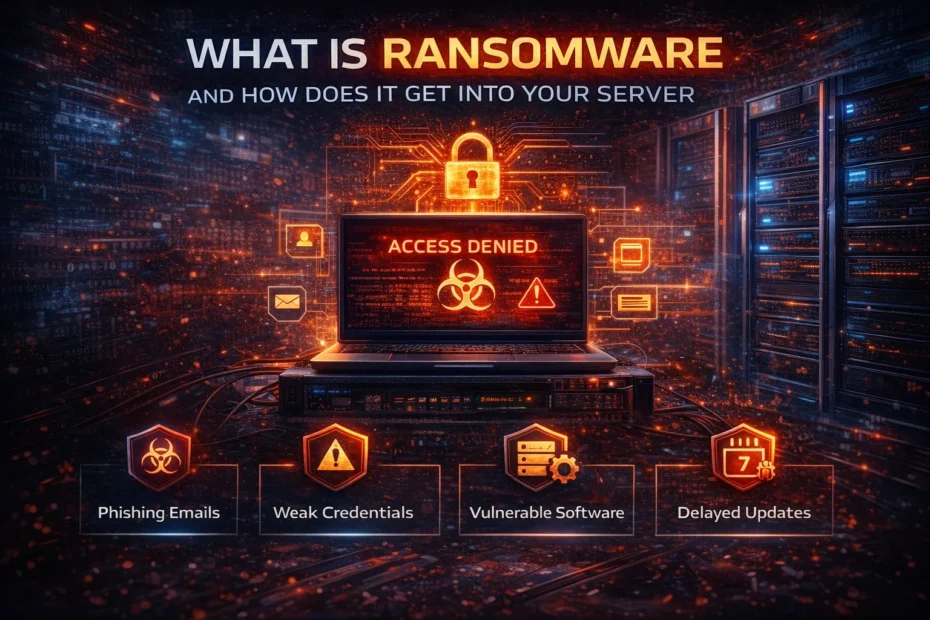
Ransomware arrives through a door that was left open, or through a person who was tricked into opening one. The common entry points:
Remote Desktop (RDP). If the server’s Remote Desktop is reachable from the internet, attackers guess passwords until one works, then sign in like a normal user and run the ransomware by hand. Sophos’s Active Adversary Report (2024) found that external remote services such as RDP were the initial way in for 65% of the incident response cases it handled in 2023, and that RDP was abused in 90% of attacks. The fix is to take RDP off the internet: Prixl Guard, a VPN or RD Gateway, as explained in how to restrict RDP access safely.
Phishing emails. A staff member opens a fake income-tax notice or a “GST refund” attachment, and malware on their PC works its way to the server. Verizon’s 2025 Data Breach Investigations Report puts phishing (16% of breaches) among the top three ways in, behind credential abuse and exploited vulnerabilities.
Weak or stolen passwords. Short, reused or leaked passwords let attackers walk in. Stolen logins are bought and sold in bulk. We recommend at least 15 characters, in line with NIST SP 800-63B-4 (2025).
Unpatched software. Known holes in software that has not been updated give attackers a direct path. Verizon’s 2026 report found exploited vulnerabilities had become the most common first step in breaches (31%). Windows Server 2012 has been out of support since October 2023 except for paid Extended Security Updates, and Windows Server 2016 support ends on 12 January 2027.
What happens during a ransomware attack
An attack rarely happens all at once. The stages below can take hours or weeks:
- Initial access. The attacker gets in by one of the routes above.
- Looking around. They find out what systems you have, where the important data is and where the backups are.
- Getting administrator rights, if they do not have them already, often by creating a new account or adding one to the Administrators group.
- Disabling defences. They turn off antivirus, delete shadow copies and backups they can reach, and may clear the security log.
- Copying data out, for the second threat: “pay or we publish”.
- Encryption. The ransomware runs across the server and any shares it can reach.
- The ransom note, usually with a deadline.
By the time you see the note, the attacker has usually been inside for a while. Stages 2 to 4 leave traces in the Windows event logs, which is where early warning comes from.
The real cost of ransomware
The ransom is only part of it. There are days or weeks of downtime, often in ITR or GST season, IT work around the clock, client data that may now be public, and the questions clients will ask. Paying does not guarantee working decryption or that the stolen copy is deleted, and agencies such as CISA advise against it. We put rupee figures on these costs in the real cost of a data breach for a small business.
Why backups alone are not enough, and what to do about it
Many owners assume that having a backup means they are safe. Attackers know this and go looking for backups first. A USB drive that stays plugged into the server, or a network folder the server can write to, will be encrypted along with everything else.
A backup that survives ransomware has three properties:
- At least one copy the server cannot change. A drive that is unplugged after each backup and kept away from the office, or cloud backup with immutability turned on, so that the server’s own login cannot delete old versions. This is the “1” in the 3-2-1 rule: three copies, two kinds of storage, one out of the attacker’s reach.
- The right data first. For most CA firms that is the Tally company data. TallyPrime keeps it in its own data folder (not in SQL Server), and that folder is exactly what ransomware encrypts. Back it up with TallyPrime’s own backup as well as a file copy, and know where the folder is.
- A restore you have tested. Once a quarter, restore one client folder and one Tally company to a different machine and open them. A backup you have never restored is a hope, not a plan.
Even with good backups, a full restore takes time, and it does nothing about stolen data. So backups belong alongside prevention, not instead of it.
If it happens: the six-hour clock
Ransomware is on CERT-In’s list of incidents that must be reported within six hours of noticing them (CERT-In Directions, 28 April 2022). Disconnect the affected machines from the network without switching them off, write down the time, and report to [email protected] with what you know. If personal data was taken, the DPDP Act adds a notice to the Data Protection Board and to each affected person from mid-May 2027. The full sequence is in our incident response guide, and the free CERT-In playbook with a report template is on the Security Resources page.
Prevention starts with closing the doors
There is no single switch. Close Remote Desktop to the internet, patch every month, use long passwords, train staff to pause before opening attachments, keep an offline or immutable backup, and watch the server for the warning signs.
That last part is what Prixl Warden does. It watches the Windows event logs and emails you about the steps that usually come before encryption: brute-force campaigns against your sign-ins, fast or slow, a new account or a change to the Administrators group, a new service or scheduled task, the audit log being cleared, and the firewall being switched off. It cannot promise to stop an attack, but it gives you a chance to act before the note appears. Start your 30-day free trial.