
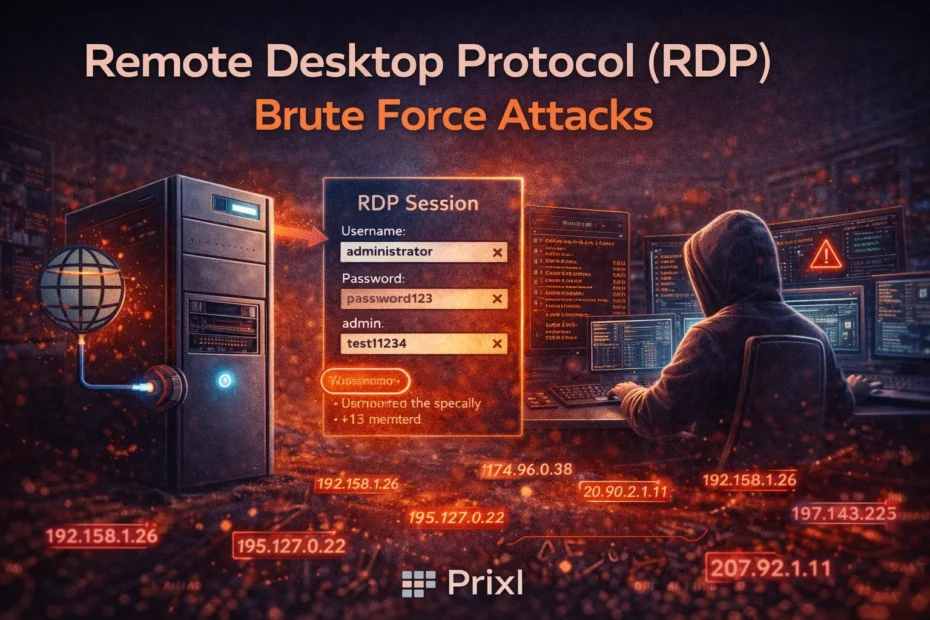
An RDP brute-force attack is simple: automated tools find a Windows server whose Remote Desktop sign-in is reachable from the internet, then try username and password pairs until one works. It needs no skill and no interest in your firm in particular. This post walks through how such an attack runs from start to finish, what it looks like in your Windows event logs (with the event IDs to search for), why it succeeds against small offices, and what actually stops it. For brute force in general, including against other services, see our brute-force attacks guide.
Step 1: Your server is found
Scanners probe every public IP address on the internet, all day, looking for anything that answers like Remote Desktop. When Sophos put ten RDP honeypots online in 2019, the first one was found within 84 seconds, and between them they logged about 4.3 million failed sign-in attempts in 30 days (Sophos, 2019).
Using a port other than 3389 does not hide you for long. Some scanners check every port, and a Malwarebytes honeypot running RDP on a non-standard port still received about 10,000 password guesses a day (Malwarebytes, 2022). Once your address is on a scanner’s list, the guessing starts.
Step 2: The guessing
Attackers do not try random strings. They work from lists, and they shape the attack to slip past whatever defences they expect:
- Common usernames. “Administrator”, “admin”, “user”, “test”, “scanner”, plus common first names. The built-in Administrator account is the favourite because it exists on every Windows server.
- Common and predictable passwords. Lists of the most-used passwords, keyboard patterns, and company-name-plus-year patterns such as “Firm@2026” (an example of what never to use).
- Leaked passwords. Usernames and passwords stolen from other websites are tried on your server. If a staff member reused their password, it does not matter how “strong” it looked. This is credential stuffing.
- Password spraying. One likely password tried against many usernames, then a pause, then the next password. Each account sees only a few failures, so account lockout never triggers.
- Fast floods and low-and-slow campaigns. Some tools fire hundreds of attempts a minute. Others try a handful an hour for weeks, and botnets spread the work across many IP addresses so that no single address looks busy.
So brute force is not only a threat to weak passwords. A reused, leaked or predictable password falls just as easily, and a slow, spread-out attack never trips a simple “too many failures” rule.
Step 3: The way in, and what follows
When a pair works, the attacker has a Remote Desktop session with that account’s rights. Typical next moves: create a new local account and add it to Administrators so they can return, switch off or exclude antivirus, install a remote-support tool, copy data out, and finally run ransomware against shared folders and the Tally data. This is not a rare path: in the incidents Sophos’s response team handled in 2023, attackers abused RDP in 90% of cases (Sophos, 2024).
What an RDP brute-force attack looks like in your logs
Every step leaves a trace in Windows event logs, mostly the Security log. These are the events to look for:
| Event ID | Log | What it means in an RDP attack |
|---|---|---|
| 4625 | Security | A failed sign-in. Thousands of these from addresses you do not know is the attack itself. With NLA on, RDP failures usually show Logon Type 3; without NLA, Type 10. |
| 4624 | Security | A successful sign-in. Logon Type 10 is a new Remote Desktop session; Type 7 is often a reconnect or unlock. A 4624 from an outside address after a run of 4625s is the moment to act. |
| 4740 | Security | An account was locked out. Logged on the computer that holds the account: the server for local accounts, the domain controller for domain accounts. |
| 140 | Microsoft-Windows-RemoteDesktopServices-RdpCoreTS/Operational | A Remote Desktop connection failed because the username or password was wrong. It records the client IP, which helps when a 4625 shows no source address. |
| 4720, 4732 | Security | A user account was created; a member was added to a security group such as Administrators. Classic follow-up after a break-in. |
| 1102 | Security | The audit log was cleared. Someone may be covering their tracks. |
In a 4625, the Status and Sub Status codes say why the sign-in failed: 0xC000006A is a wrong password for a real account, 0xC0000064 is a username that does not exist, and 0xC0000234 means the account is locked. Lots of 0xC000006A against one name means they know a real username. Our Event ID 4625 guide explains every field, and Microsoft documents it in its Event 4625 reference.
To see which addresses tried your server in the last 24 hours, run this in PowerShell as Administrator. It lists the ten busiest source IPs:
Get-WinEvent -FilterHashtable @{LogName='Security'; Id=4625; StartTime=(Get-Date).AddDays(-1)} -ErrorAction SilentlyContinue |
  Group-Object { $_.Properties[19].Value } |
  Sort-Object Count -Descending |
  Select-Object -First 10 Count, Name
Change Properties[19] to Properties[5] to group by the username tried instead. No output means no failed sign-ins in that period. If the list is full of addresses you have never heard of, your Remote Desktop is reachable from the internet. For a fuller do-it-yourself approach, see brute-force detection without a SIEM.
Why these attacks succeed against small offices
- The port is forwarded “temporarily”. A vendor opened 3389 on the router during setup, or for one person working from home, and it was never closed.
- Shared and reused passwords. One “office” login that everyone knows, or a partner’s password that is also their email password.
- The built-in Administrator cannot be locked out. On Server 2022 and older it is exempt from account lockout unless “Allow Administrator account lockout” is enabled (Microsoft KB5020282), so attackers can guess at it indefinitely.
- Nobody reads the logs. The attempts are all recorded, but in an office without IT staff nobody looks until the files are encrypted.
How to stop RDP brute-force attacks
- Take Remote Desktop off the internet. This takes away the target rather than slowing the guessing. Prixl Guard Secure Access gives each staff member an encrypted tunnel to the office server, with no router setup or static IP needed, and then “Lock RDP to Secure Access only” closes RDP to everyone else. A VPN or RD Gateway does the same job if you already have one.
- Until then, allow only known addresses in the firewall, as in how to restrict RDP access safely.
- Turn on NLA and keep Windows patched. NLA blocks pre-sign-in exploits; it does not stop guessing.
- Use long, unique passwords. At least 15 characters (NIST SP 800-63B-4, 2025), one account per person, no reuse from other sites. See our password length guide.
- Set account lockout with care. Microsoft’s newer default is 10 attempts, 10-minute lockout, 10-minute reset. Remember the Administrator exemption, and that on an exposed server lockout lets attackers lock your staff out. Details in our account lockout guide.
- Monitor, and block what you can. Someone, or something, has to notice the attack and the one successful sign-in that matters.
Changing the RDP port is missing from this list on purpose. It reduces log noise and nothing else; see why a port change is not enough.
How Prixl Warden helps
Prixl Warden runs as a service on your server and reads the Windows event logs for you. It detects brute-force patterns per IP address and per account, both fast floods and slow, low-and-slow campaigns, and emails you a plain-English alert with the addresses and accounts involved. It also flags successful sign-ins outside working hours, admin sign-ins, new accounts and admin-group changes, and the audit log being cleared.
You can block an address from the dashboard’s IP Blocking tab, and you can choose to switch on automatic blocking of attacking IPs; private (office LAN) addresses are never auto-blocked. On paid plans, alert emails include a one-click “block this IP” link. Blocking slows an attack down; closing RDP with Guard takes the sign-in off the internet. Start your 30-day free trial and see what your own Security log has been recording.