
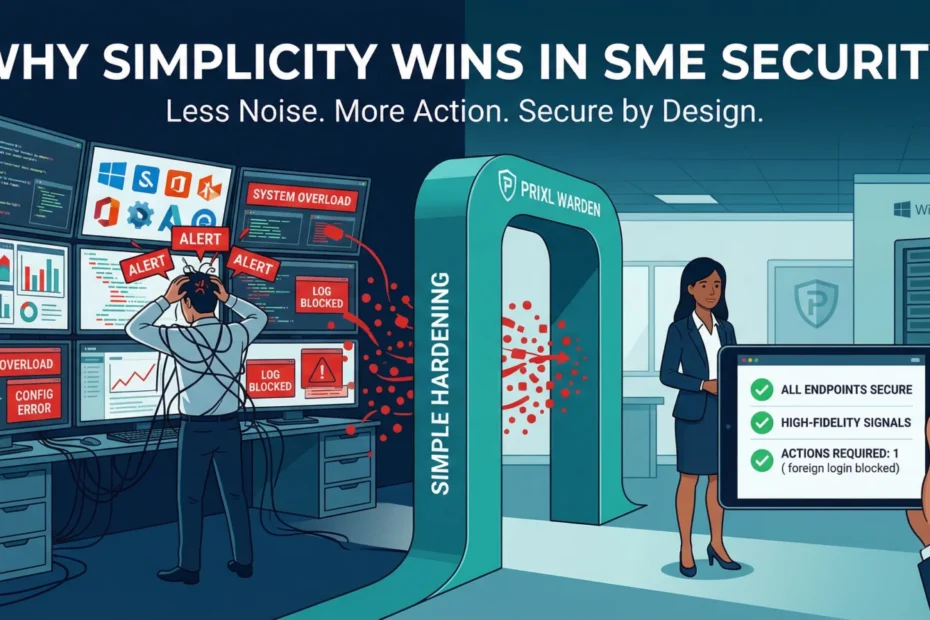
Small business cybersecurity has a strange failure mode: firms that try hardest often end up with the least protection. A CA practice buys an antivirus, then a firewall box, then a backup service, then a monitoring tool someone recommended at a study circle, and ends up with a pile of products nobody in the office fully understands. The alerts go to an inbox nobody reads, the backup reports say “completed with warnings” every night, and the server that holds every client’s Tally data is still open to the internet on Remote Desktop.
For a firm of 5 to 30 people, complexity costs money and also opens gaps of its own. This post explains why the simple approach wins, how late most break-ins are found, and the short list of warning signs on a Windows server that are worth watching every day.
Most break-ins are found late, and by someone else
The time between an attacker getting in and the victim finding out is called dwell time. Mandiant’s M-Trends 2025 report, based on its incident investigations during 2024, puts the global median at 11 days. When the victim was told by an outside party rather than spotting it themselves, the median rose to 26 days. These are figures from organisations large enough to hire Mandiant, not small firms, but the pattern holds: if nobody inside is watching, the news arrives from outside. A client asks about an odd email sent from your address, the bank queries a payment, or the ransom note is on the screen at 9:10 on a Monday morning.
The ransom note feels sudden, but it is usually the last stage of something that has been going on for days or weeks. The evidence of the earlier stages was sitting in the server’s own Windows event logs the whole time. Nobody was reading them.
Attacks on small firms are persistent, not clever
Nobody hand-picks your firm. Automated tools scan the internet around the clock for exposed login screens, and Remote Desktop on a Windows server is one of the most common. Sophos found that attackers abused Remote Desktop in 90% of the incidents its response team handled in 2023, and that external remote services such as RDP were the way in for 65% of them (Sophos Active Adversary Report, 2024). Verizon’s 2025 Data Breach Investigations Report lists credential abuse (22%), exploitation of vulnerabilities (20%) and phishing (16%) as the top three ways in.
None of that needs genius. It needs patience: thousands of password guesses, some fast and some spread slowly over days, until one works. Most serious incidents then follow the same path:
- Scanning finds an exposed login, usually Remote Desktop.
- Repeated password guesses against common usernames such as “administrator”.
- One guess succeeds, often a reused or short password.
- The attacker creates a spare account, adds it to the administrators group, and switches off what might stop them: backups, antivirus, the firewall.
- Data is copied out, then ransomware runs.
Caught at stage 2, the fix is a firewall change and a password reset. Caught at stage 5, it is a rebuild, a restore (if the backups survived), calls to every client, and a report to CERT-In within six hours of noticing. Against an opponent this persistent, a one-time setup is a snapshot that starts going stale the day your IT vendor finishes it.
The same attack, two timelines
Take a 12-person CA firm in the middle of tax-audit season. The office server runs TallyPrime and holds client files; four staff work from home in the evenings over Remote Desktop, so port 3389 is forwarded on the office router. Here is one attack, seen two ways.
When nobody is watching
- Week 1. Failed sign-ins against “administrator” and a few staff names arrive from 203.0.113.45 and 198.51.100.17, a few hundred a day. Nobody looks. On day 6 a guess works on an account whose password was the firm’s name and the year.
- Week 2. The attacker signs in late at night, creates an account called “support”, adds it to the local Administrators group and disables the scheduled backup task. Everyone is too busy with audit reports to notice the backup emails have stopped.
- Week 3. Client folders and the Tally data folder are copied out.
- Week 4. Ransomware runs on a Friday night. On Monday nothing opens, the backups are weeks old, and the filing deadline has not moved.
When someone is watching
- Week 1, day 2. The partner gets an email: repeated failed sign-ins against “administrator” from two outside addresses, with a plain explanation of what that means. She forwards it to the IT vendor.
- Same afternoon. The vendor closes Remote Desktop to the internet, moves the four home-workers to a private connection, and resets the weak password. Cost: an hour of attention and a firewall change.
- If something had still got through, the new “support” account and the change to the Administrators group would have been flagged as well, while the problem was still one account to remove rather than a server to rebuild.
Same attacker, same tools. The only thing that changed was when the firm found out. For the full set of steps when something has already gone wrong, see our incident response guide for small businesses.
Why complex security fails small firms
Too many alerts means no alerts
Large companies pay analysts to sift thousands of alerts a day. A CA firm has a partner with a phone and a part-time IT vendor. If a tool sends twenty warnings a day and nineteen are harmless, people stop opening them within a few weeks, and the one that mattered goes to the bin with the rest. A useful alert is rare, short and specific: which account, which address, what it probably means, and what to do next.
Tools that assume an expert
Many security products are built for companies with a full-time security team. Install one in a 12-person office and it will either be left on its default settings or set up once by a vendor who never comes back to it. A tool nobody understands is easy to misconfigure, and a misconfigured tool can be worse than none, because it gives the partners false comfort. Right-sized tools are safe out of the box, run in the background and speak plain English when they need you.
Gaps between products
Ten products that do not talk to each other leave ten seams. The antivirus does not know the firewall was switched off; the backup service does not know a new administrator appeared last night. One clear view of the server, who signed in, when, from where and what changed, is worth more than several consoles nobody opens.
The warning signs worth watching on a Windows server
Strip away the jargon and day-to-day monitoring for a small firm comes down to a handful of events that Windows already records. None of them needs new hardware or a threat-intelligence feed.
- Failed sign-in patterns. Bursts of failures, and slow campaigns that try a few passwords an hour for days, are the signature of password guessing (event ID 4625). You can detect brute-force attacks on Windows without a SIEM, and our guide to reading event ID 4625 shows what each field means.
- Sign-ins outside working hours. A successful sign-in at 2 AM on a Sunday deserves a look. See why after-hours login monitoring matters.
- Account lockouts. Repeated lockouts (event ID 4740) often mean someone is guessing passwords against real staff names.
- New accounts and admin-group changes. An account nobody asked for (4720), or someone added to the Administrators group (4732), often means a guess already succeeded.
- New services and scheduled tasks. Attackers use them to come back after a reboot (7045 for a new service, 4698 for a new scheduled task).
- Tampering. The security log being cleared (1102), or Windows Firewall being switched off, should always have an explanation someone can give you. Sometimes it is a vendor troubleshooting; sometimes it is not.
This list will not catch everything. It does cover the steps that most break-ins on a Windows server have to take, and it is short enough that a busy partner can act on it. What it needs is that someone, or something, reads it every day.
Busy season is when this matters most
For a CA firm, the riskiest weeks of the year are the ones with the least spare attention: the ITR rush, tax-audit deadlines and GST return dates. Staff work late, more people connect from home, and passwords get shared “just for this week”. A server going down then costs far more than in a quiet month, because the deadlines do not move.
Two practical points follow. First, set your working hours to match the season rather than ignoring off-hours alerts: if staff are routinely online until 11 PM in September, say so, and look at who signed in rather than only when. Second, make the checks boring and automatic before the season starts, so that an alert in the middle of it is short enough to read between client calls.
What right-sized security looks like
Three rules cover most of it:
- You understand every piece. If you cannot say in one sentence what a tool does, it is probably not making you safer.
- The basics come first. Close Remote Desktop to the internet (a private connection such as Prixl Guard, a VPN or RD Gateway, or at least an allow-list of known addresses); passwords of at least 15 characters, as NIST SP 800-63B-4 (2025) recommends; a second factor on remote access; Windows updates; and backups kept 3-2-1, with one copy offline or immutable and a restore test of the Tally data folders. Our simple cybersecurity checklist and RDP lock-down guide walk through these.
- Something is always watching. The warning signs above, checked continuously, with alerts only when a person needs to act.
Put that way, security stops being an IT expense the partners resent and becomes a business decision: how much risk the firm is prepared to carry, decided with clear information rather than fear.
Where Prixl Warden fits
Prixl Warden is a Windows service that runs on your server and watches its event logs for the signs listed above: failed and successful sign-ins, fast floods and slow, low-and-slow password campaigns, sign-ins outside the working hours you set, admin sign-ins, new accounts and admin-group changes, lockouts, new services and scheduled tasks, a cleared audit log, and the firewall being switched off or its rules changed.
- Few, plain emails. Serious events are emailed immediately. Everything else goes into a daily digest at 18:00 IST (you can switch it off) and a weekly summary every Monday at 08:00 IST. Each alert explains in plain English what happened and what to do; these are written templates, not AI.
- A security audit you can act on. 29 checks covering Remote Desktop, the firewall and risky ports, password and lockout policy, SMBv1, Defender, Windows Update and logging. On paid plans, 21 of them have a one-click fix in the dashboard’s Hardening tab, with a revert.
- Blocking when you want it. Block or unblock an address from the dashboard; automatic blocking of attacking addresses is there if you switch it on.
- Closing Remote Desktop. Prixl Guard lets invited staff reach the office server over an encrypted tunnel, with no static IP or router setup needed, so RDP can be closed to the internet.
It will not replace good backups or a patched server, and it does not promise that nobody gets in. What it does is make sure that when the warning signs appear, a partner hears about them that day, in words they can act on. Start your 30-day free trial; no card is needed.
Fewer tools, watched every day
More tools mean more settings to get wrong, more alerts to ignore and more gaps between products. For a small firm, the best security is the kind you understand and actually use: solid basics, Remote Desktop off the open internet, backups you have tested, and a daily eye on the few signals that show an attack is under way. Do that before the next busy season, not during it.